
7 Compliance Mistakes That Cost Businesses Thousands (and How to Avoid Them)
The behavioral mistakes that cause compliance failures-even when businesses know what documents they need. Real examples of costly errors and specific fixes for each.

Aaron Kushner is an entrepreneur with decades of hands-on experience running service companies and eCommerce operations. He founded DocuStrong to solve the compliance and document-tracking challenges he faced firsthand in the field.

The knock on the door from a regulatory inspector rarely comes at a convenient time. In one documented case, a mid-sized construction company owner in Texas faced what should have been a routine OSHA inspection during her busiest season-it turned into a $47,000 fine. The culprit? Three forklift operators working with expired certifications, along with missing safety training documentation for new hires. What started as preventable paperwork oversights became a costly compliance failure.
This scenario isn’t unique. The Ponemon Institute’s research shows that businesses facing compliance violations experience an average of 2.71 times higher costs than the initial penalty when accounting for legal fees, operational disruptions, remediation efforts, and reputational damage. The real tragedy? Most compliance failures are entirely preventable with the right awareness and behavioral changes.
New to compliance? If you need a comprehensive overview of what compliance means and which documents your business needs, start with our Ultimate Compliance Checklist for Small Business Owners. This article focuses specifically on the behavioral mistakes that cause compliance failures-even when businesses know what they need.
In this guide, you’ll discover the seven most costly compliance behaviors that lead to violations, learn to identify vulnerabilities in your operations, and gain practical strategies to fix them.
TL;DR: The 7 Critical Compliance Mistakes
These aren’t about missing documents-they’re about how businesses manage compliance. The most costly behavioral mistakes include: relying on manual tracking, failing to maintain documentation chains, siloed department responsibilities, ignoring vendor compliance, not monitoring regulatory changes, treating compliance as a yearly event, and underestimating multi-location complexity. This article provides specific fixes for each behavioral failure.
Mistake #1: Relying on Manual Tracking Systems
One of the most pervasive compliance mistakes is depending on manual methods-spreadsheets, email reminders, or sticky notes-to track document expirations and renewal deadlines. While these systems might work initially for a handful of documents, they become increasingly unreliable as your business grows.
The behavioral failure here isn’t ignorance-it’s overconfidence in memory and manual processes.
According to OSHA enforcement data, many cited violations stem from expired certifications and lapsed training records that businesses genuinely believed were current. The failure wasn’t intentional-it was systematic, caused by trusting a process that couldn’t scale.
In one documented case, a Florida-based HVAC company faced a $28,000 fine when inspectors discovered that three technicians were working with lapsed EPA Section 608 certifications. The owner had a shared Google calendar with renewal reminders, but when one technician left and a new hire came on board, no one updated the system. The gap went unnoticed for seven months.
How to Fix It: Implement automated document renewal software that monitors all expiration dates and sends escalating reminders to multiple stakeholders. Your compliance workflows should flag documents at 90, 60, 30, and 7 days before expiration. Assign backup responsibility so at least two people receive notifications for critical compliance documents, and conduct quarterly compliance audits.
DocuStrong’s expiration tracking and renewal management eliminates manual oversight by automatically monitoring renewal dates, sending smart reminders via email, SMS, Slack, or Microsoft Teams, and providing visual dashboards that show your compliance status at a glance.
Mistake #2: Failing to Maintain Documentation Chains
During audits, inspections, or legal proceedings, regulators don’t just want to see your current compliance status-they need evidence of continuous compliance over time. Many businesses only keep their most recent versions of documents, creating dangerous gaps.
The behavioral failure: treating compliance as a snapshot instead of a timeline.
The Department of Labor’s Wage and Hour Division can investigate employment practices going back two to three years. If you can’t produce historical documentation proving compliance during that entire period, you may face penalties even if you’re currently compliant.
In one documented case, a California restaurant group faced significant penalties during a wage dispute because they couldn’t prove which version of their tip pooling policy was in place when alleged violations occurred. They had the current policy, but no dated versions showing policy evolution-undermining their entire defense.
Practical Solutions: Retain all versions of compliance-critical documents with clear dating and version numbering. Implement a document retention schedule based on regulatory requirements-some records must be kept for three years, others for seven, and some indefinitely. Many state agencies require retention of safety training records for 3-5 years, while environmental permits may require 7-10 years of documentation.
| Document Type | Retention Period | Regulatory Authority |
|---|---|---|
| Safety Training Records | 3-5 years | OSHA |
| Environmental Permits | 7-10 years | EPA |
| Employment Records | 3 years | DOL |
| Tax Documentation | 7 years | IRS |
| Insurance Policies | 7 years | State Insurance Commissioners |
Implement comprehensive audit trails that automatically log who accessed, modified, or approved documents and when. Digitize paper records to ensure they’re searchable, backed up, and protected from loss.
Using DocuStrong’s document management and version control ensures you maintain complete documentation chains automatically, creating an audit trail that demonstrates continuous compliance without manual intervention.
Don’t let documentation gaps put your business at risk. Get started with DocuStrong today and build bulletproof compliance documentation.
Mistake #3: Siloed Department Responsibilities
Compliance isn’t confined to a single department-it touches operations, HR, finance, facilities, and more. Yet many businesses treat it as isolated tasks rather than integrated responsibilities. This fragmentation creates dangerous blind spots.
The behavioral failure: assuming someone else is handling it.
In one documented case, an Ohio manufacturing company faced $31,000 in fines when their environmental compliance manager knew the facility’s air quality permit was up for renewal, but the necessary emissions testing equipment calibration-managed by the maintenance department-had lapsed. The delayed testing pushed the permit renewal past deadline. Both departments had functioning systems, but no coordination between them.
Creating Compliance Coordination: Establish a centralized compliance calendar that aggregates all regulatory deadlines across departments. Hold monthly compliance meetings with representatives from all departments to review upcoming deadlines and identify interdependencies. Implement shared access systems with role-based access and permissions where relevant stakeholders can view compliance status for related items.
DocuStrong’s team collaboration and document sharing breaks down departmental silos by providing role-based access, granular permissions, and centralized visibility-eliminating the gaps that lead to costly violations.
Mistake #4: “Set and Forget” Vendor Management
Many businesses don’t realize that their compliance obligations extend to contractors, vendors, and subcontractors who work on their behalf. According to OSHA’s Multi-Employer Citation Policy, controlling employers can be cited for violations committed by contractors working on their sites.
The behavioral failure: verifying once at onboarding, then never again.
Most businesses collect vendor certificates of insurance and licenses at the start of a relationship-then file them away and forget about them. In one documented case, a retail chain in Georgia was held partially liable when a contractor’s employee was injured on their property. The contractor’s workers’ compensation insurance had lapsed three months earlier-something the retailer never verified. The resulting legal settlement exceeded $200,000.
Vendor Compliance Strategies: Create a vendor compliance checklist specifying all required documentation for different vendor types. Track vendor document expiration dates as rigorously as your own, setting reminders at 60 and 30 days before expiration. Many state contractor licensing boards require 60-90 days advance notice for renewals, and some require onsite inspections before approving renewals.
| Vendor Type | Required Documents | Renewal Frequency |
|---|---|---|
| General Contractors | License, Insurance, Bonding | Annual |
| Professional Services | Professional License, E&O Insurance | Annual/Biennial |
| IT Vendors | Cybersecurity Certifications, Data Processing Agreements | Annual |
| Transportation | DOT Registration, Commercial Insurance | Annual |
| Food Service | Health Permits, Food Handler Certifications | Annual/Biennial |
Include automatic renewal requirements in contracts and conduct annual vendor compliance audits. With DocuStrong’s vendor certificate tracking system, you can create vendor-specific folders with expiration tracking and maintain a complete compliance history for every contractor and supplier.
Ready to eliminate vendor compliance blind spots? Start your free trial and get complete visibility into your vendor compliance status.
Mistake #5: Assuming Regulations Don’t Change
Regulations don’t stand still. New laws are enacted, existing requirements are amended, and enforcement priorities shift. Businesses that take a “set it and forget it” approach inevitably fall behind.
The behavioral failure: assuming once compliant means always compliant.
In one reported case, a small logistics company in Arizona faced $15,000 in fines and $40,000 in equipment replacement costs because they weren’t aware that the Federal Motor Carrier Safety Administration had updated Electronic Logging Device (ELD) requirements. They had been compliant with the original regulation but missed a technical specification change that made their installed devices non-compliant.
Staying Ahead of Changes: Subscribe to regulatory updates from agencies that govern your industry. Join industry associations that monitor regulatory developments and provide member alerts with plain-language explanations. Conduct quarterly regulatory reviews where someone researches recent changes affecting your operations. Establish relationships with compliance consultants who can monitor 10-20 agencies on your behalf.
DocuStrong’s real-time compliance monitoring provides compliance scores and automated incident management, helping you identify when documents or processes fall out of alignment with current requirements.
Mistake #6: The Annual Compliance “Fire Drill”
Many businesses approach compliance as a once-a-year event-usually triggered by an upcoming audit or license application. Teams scramble to gather documentation and rush to complete expired requirements just before deadline. This reactive approach is stressful, expensive, and risky.
The behavioral failure: waiting for external pressure instead of building internal routines.
In one documented situation, a healthcare clinic preparing for their annual accreditation review discovered that several clinical staff members had worked with lapsed professional licenses for months. Rather than a simple renewal issue, this became a credential fraud problem requiring staff suspension and patient notification. What should have cost a few hundred dollars in timely renewals instead cost tens of thousands in corrective action.
The ISO 9001 quality management standard emphasizes continuous compliance and improvement rather than periodic checking. Organizations that embed compliance into daily operations consistently outperform those that treat it as an annual burden.
Building Continuous Compliance: Integrate compliance checks into existing workflows. When onboarding employees, automatically add their certifications to the tracking system with expiration alerts. Create daily, weekly, and monthly compliance routines rather than annual marathons. Use dashboards that show compliance status at a glance so executives can monitor it during regular meetings.
DocuStrong’s analytics, dashboards, and automated reporting provide visual compliance status continuously, transforming compliance from an annual scramble into an ongoing state of operational excellence.
Transform your compliance approach from reactive to proactive. Join thousands of businesses using DocuStrong to maintain continuous compliance confidence.
Mistake #7: Single-Person Compliance Dependency
As businesses grow to multiple locations, they often rely on one person-a regional manager, office administrator, or operations lead-to “keep track of everything.” When that person leaves, gets sick, or simply forgets, the entire compliance system collapses.
The behavioral failure: building institutional knowledge into one person’s head instead of a system.
In one documented case, a fitness franchise with 12 locations across three states faced a crisis when a regional manager left unexpectedly. She had been the unofficial keeper of compliance information for her four locations. When she departed, the company discovered they had no centralized record of which permits each location held or when inspections were due. Reconstructing this information cost over $50,000 in audit fees and emergency remediation.
Managing Multi-Location Compliance: Create location-specific compliance profiles documenting all unique requirements for each facility-don’t assume what’s required in one location applies to another. Implement hierarchical visibility where corporate leadership can see compliance status across all locations, regional managers can monitor their territories, and location managers can track their specific facilities.
With DocuStrong’s centralized multi-location management, you can manage compliance across unlimited locations from a single dashboard, with custom categories, location-specific tags, and role-based access that ensure the right people see the right information for their facilities.
Managing multiple locations? See how DocuStrong simplifies multi-location compliance with centralized tracking and location-specific visibility.
Self-Assessment: Are You Making These Mistakes?
Use this behavioral assessment to identify your vulnerabilities:
How do you currently track compliance?
- [ ] “We use a spreadsheet that one person maintains” → Mistake #1 & #7 risk
- [ ] “We rely on calendar reminders” → Mistake #1 risk
- [ ] “We have automated tracking with multiple stakeholders” → ✓ Good
What happens when someone asks for a document from 2 years ago?
- [ ] “We’d have to dig through old files/emails” → Mistake #2 risk
- [ ] “We only keep current versions” → Mistake #2 risk
- [ ] “We can pull any historical version in minutes” → ✓ Good
Who handles compliance in your organization?
- [ ] “Whoever remembers” → Mistake #3 & #6 risk
- [ ] “One dedicated person” → Mistake #7 risk
- [ ] “Clear ownership with backups across departments” → ✓ Good
When did you last verify your vendors’ current insurance?
- [ ] “At the start of our relationship” → Mistake #4 risk
- [ ] “I’m not sure” → Mistake #4 risk
- [ ] “Within the last 90 days” → ✓ Good
How do you learn about regulatory changes?
- [ ] “We don’t actively monitor” → Mistake #5 risk
- [ ] “When we get cited” → Mistake #5 risk
- [ ] “Subscribed to agency updates and industry associations” → ✓ Good
Need to know WHAT documents you should be tracking? See our Ultimate Compliance Checklist for Small Business Owners for a complete inventory of required licenses, permits, and insurance.
Frequently Asked Questions
What’s the biggest compliance risk for small businesses?
The greatest risk is treating compliance as someone’s side responsibility rather than a structured system. When compliance lives in one person’s email reminders or a neglected spreadsheet, it will eventually fail. Even small businesses need centralized tracking with automated reminders, clear ownership, and backup processes. Modern compliance management software makes this affordable and manageable-a basic compliance program can often be managed in just a few hours per month when properly automated.
How far in advance should I start the renewal process for critical licenses?
Begin 90 days before expiration for critical licenses and permits. Many state agencies require 60-90 days for processing, and some require onsite inspections or prerequisite certifications before approving renewals. For example, contractor licenses often require proof of current insurance, which must be renewed first. Starting at 90 days provides buffer for unexpected delays. Set your first reminder at 90 days, with escalating follow-ups at 60, 30, and 7 days.
Should I hire a compliance officer or can we manage it internally?
It depends on your industry, size, and complexity. Highly regulated industries (healthcare, financial services, food production) often benefit from dedicated compliance roles even at smaller sizes. However, most small to mid-sized businesses can manage compliance effectively without a dedicated officer by implementing structured systems, assigning responsibilities across existing team members, and using automation tools. Consider a compliance consultant for initial system setup and periodic audits rather than a full-time hire.
What should I do if I discover we’ve been operating with expired documentation?
First, immediately cease any activities that legally require the expired documentation if safe to do so. Second, expedite the renewal process-many agencies offer emergency processing for inadvertent lapses, though emergency fees are typically significantly higher. Third, document the discovery, your immediate response, and the timeline to resolution. Fourth, conduct a root cause analysis to understand how the lapse occurred and implement system changes to prevent recurrence. Finally, consult with a compliance attorney if the lapse carries significant liability risk.
How can I make compliance less overwhelming for my team?
Break compliance into small, routine tasks rather than large, infrequent projects. Integrate compliance checks into existing workflows so they become automatic. Use automation to eliminate repetitive manual tracking-many businesses report substantial time savings when moving from manual to automated systems. Create simple checklists and process documentation. Most importantly, give your team the right tools-purpose-built compliance management systems make it manageable by making status visible and responsibilities clear.
From Crisis Mode to Confidence
The seven behavioral mistakes in this guide aren’t about what documents you need-they’re about how you manage them. Knowing you need a business license doesn’t help if your tracking system fails to remind you before it expires. Understanding vendor compliance requirements doesn’t matter if you only check once at onboarding.
The encouraging news? Every behavioral mistake has a behavioral fix:
| Mistake | Fix |
|---|---|
| Manual tracking | Automate with escalating reminders |
| Missing documentation chains | Retain all versions with timestamps |
| Department silos | Assign clear ownership with backups |
| Set-and-forget vendors | Track vendor expirations like your own |
| Assuming rules don’t change | Subscribe to regulatory updates |
| Annual fire drills | Build compliance into weekly routines |
| Single-person dependency | Document processes in systems, not heads |
Next steps:
- If you’re not sure what documents you need: Start with our Ultimate Compliance Checklist for Small Business Owners
- If you know what you need but keep missing deadlines: The behavioral fixes above will help
- If you want to automate: DocuStrong handles all seven fixes automatically
For more insights on compliance and regulations, explore our comprehensive resource library.
Take Control of Your Compliance Today
Ready to transform compliance from a source of stress into a competitive advantage? DocuStrong provides the complete platform you need to maintain continuous compliance without overwhelming your team.

Start your free trial today and discover how DocuStrong helps businesses like yours:
- Track all documents, licenses, and certifications from one centralized platform
- Receive automated reminders via email, SMS, Slack, or Microsoft Teams before anything expires
- Maintain complete audit trails with version history and compliance tracking
- Collaborate across departments with role-based access and permissions
- Monitor compliance status in real-time with visual dashboards
- Generate automated reports for leadership, audits, and regulatory requirements
Start Your Free Trial - No credit card required. Get your compliance system up and running in under an hour.
Or explore all DocuStrong features to see how we solve the specific compliance challenges your business faces.
For a comprehensive overview of document management and compliance, see our complete guide: Document Management and Compliance: The Complete Guide. Stop leaving compliance to chance. Build the system that protects your business, your team, and your peace of mind. Visit our homepage to learn more about how DocuStrong transforms compliance management for businesses of all sizes.
Related Articles
The Ultimate Compliance Checklist for Small Business Owners
Complete reference guide: every license, permit, insurance policy, and document your business needs to stay compliant. Organized by category with renewal frequencies and requirements.
What Happens When Your Business License Expires? (And How to Avoid It)
An expired business license can halt operations, trigger fines up to $10,000, and damage your reputation. Learn what happens when licenses expire, how to prevent it, and why automated tracking is essential for compliance.
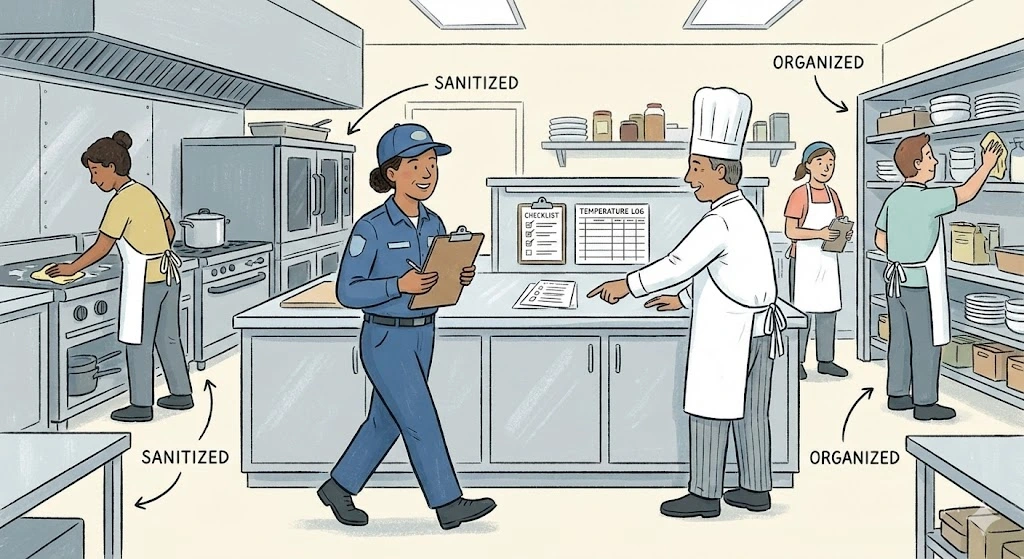
How to Prepare for a Surprise Health Department Inspection
Master the art of staying inspection-ready with proven strategies that help food service businesses maintain continuous compliance, avoid violations, and pass surprise health inspections with confidence.